Communicating From Arduino Devices Into Unreal Engine
Overview
Arduino can be used to send serialized data to different game engines. This post will show how to set up, install the Serial COM Plugin, and use the Capacitive Touch Sensor’s serialized data inside Unreal Engine.
Serial COM:
To begin sending data from Arduino to Unreal Engine, the Serial COM plugin needs to be installed. The Plugin can be located on GitHub.
Note: The Unreal Engine Serial COM Plugin is only compatible with Unreal Engine versions 4.27 to 5.4.2. The version of Unreal Engine used for this tutorial is 5.4.4.
Plugin Installation Video
Unreal Engine Serial COM Plugin Installation
Setup
Now that the plugin is installed, it still needs to be enabled.
Enable Plugin
- Make sure the plugin is installed and working in Unreal Engine
- Go to Plugins and search for Serial COM and make sure it is enabled.
- Unreal Engine may prompt you to restart. This is normal.
Using The Plugin
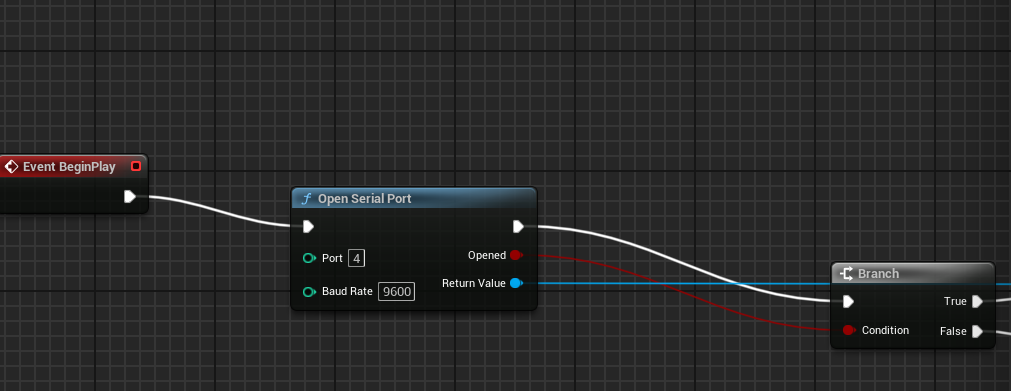
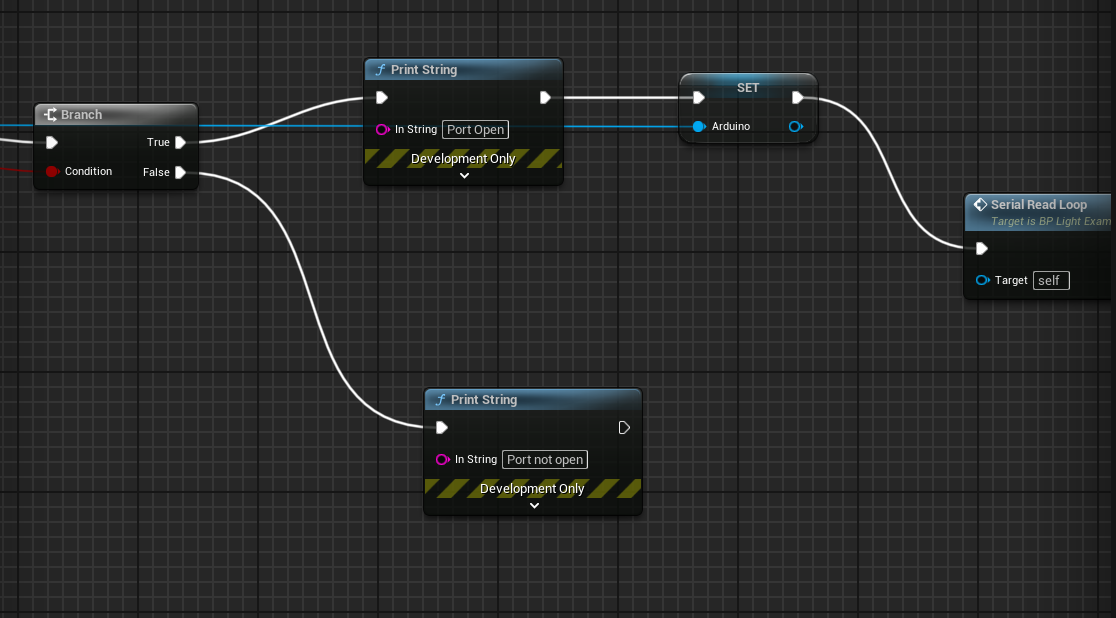
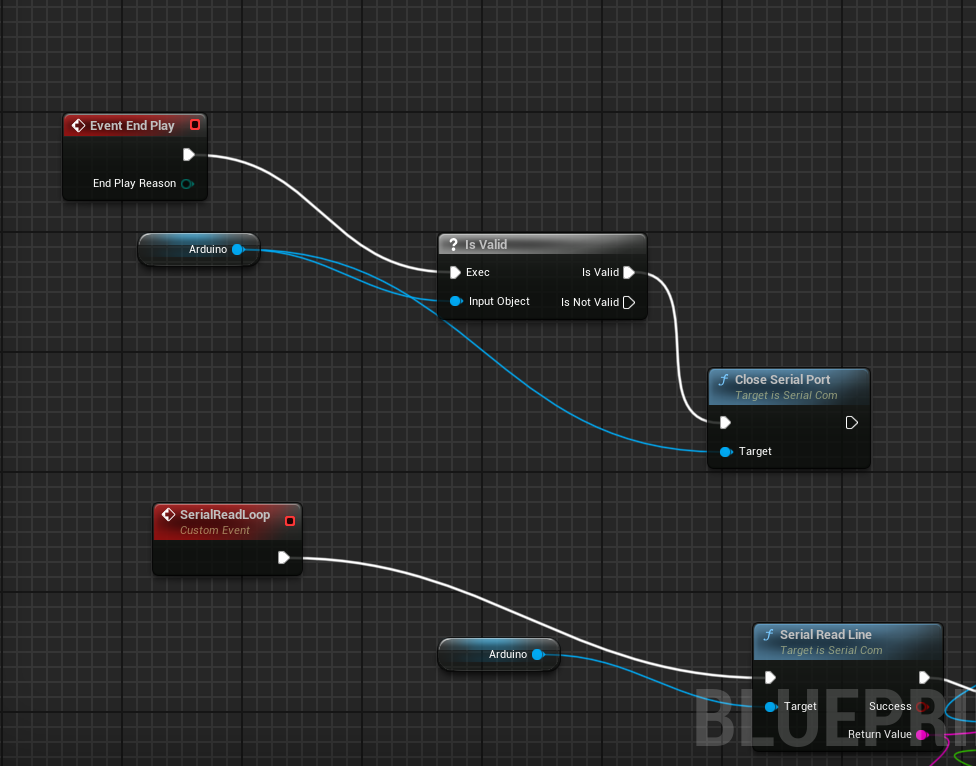
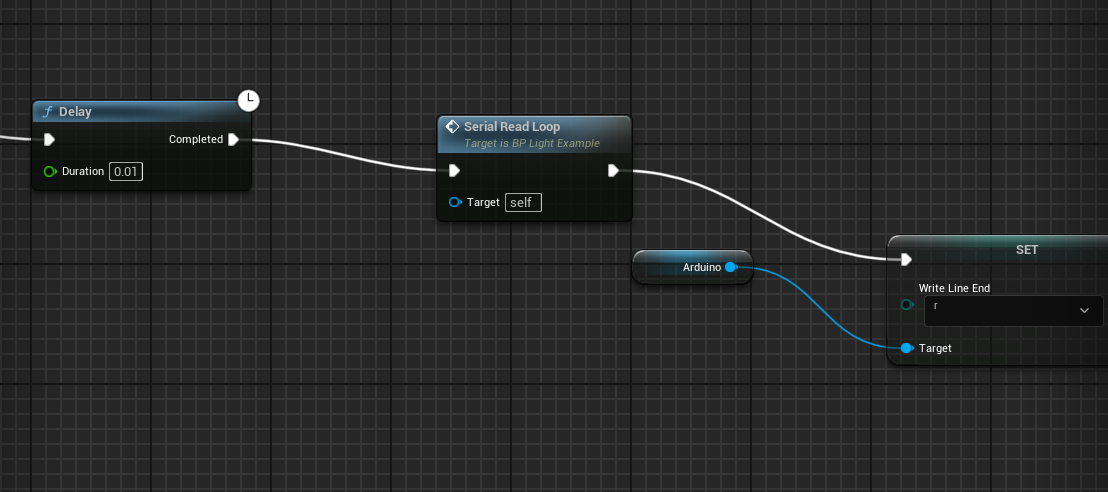
The plugin provides a few blueprint components. This project uses a new blueprint class. We Open Serial Port once at the start (and Close once at the end) to access the port during runtime. We get data from the port using a Serial Read Loop component.
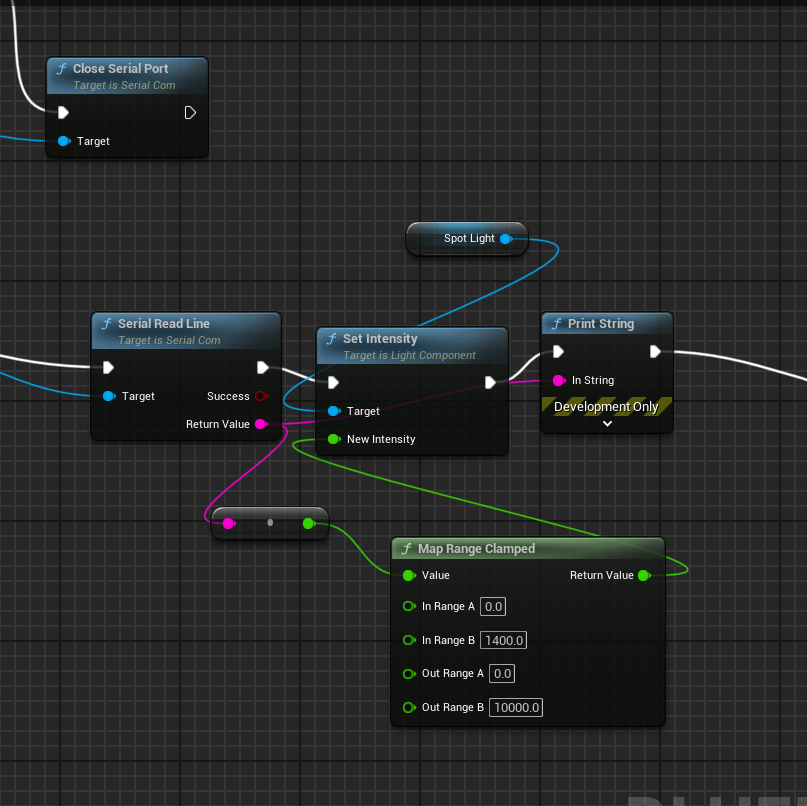
In the example below, the Serial Read Loop is hook up into a custom event, and that is put into a Serial Read Line node which provides outputs as a string, line by line. This will match with each Serial.Println call from arduino.
1.
2.
3.
4.
5.
Video Tutorial
Note: The video tutorial uses UE4Duino, which is identical to the Serial COM Plugin. The only difference is that Serial COM is compatible with more Arduino boards. The video is still a great reference if further instructions are needed to set up the Blueprint.